Voting for a product
What your shoppers see when they vote on your next products, and the thank-you email they get.
ProNeeds the Pro plan.
Before you start
- Your store is on Pro.
- The Product voting block is on your home page or a page of its own.
- At least one proposal is open in Waitly, under Voting.
- 1
The shopper sees the voting block
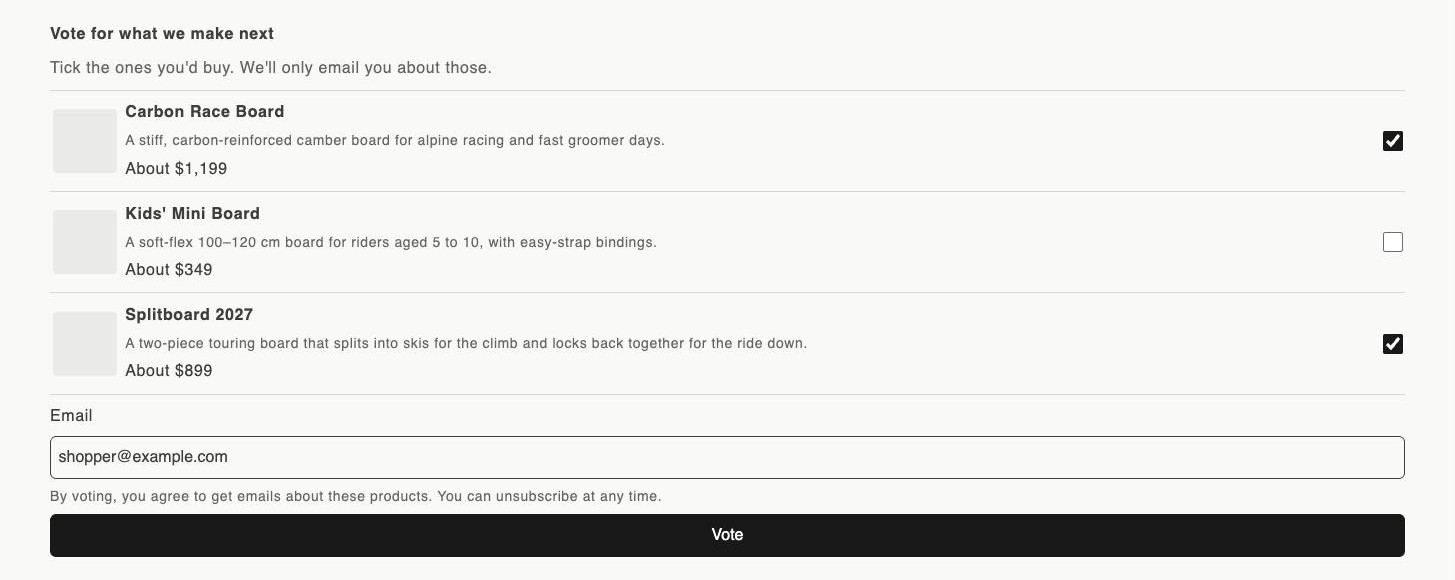
The block is headed “Vote for what we make next”, with “Tick the ones you’d buy. We’ll only email you about those.” under it.
Each open proposal shows its image, title, description and planned price, with a box to tick. Shoppers never see how many votes a proposal has.
Your online store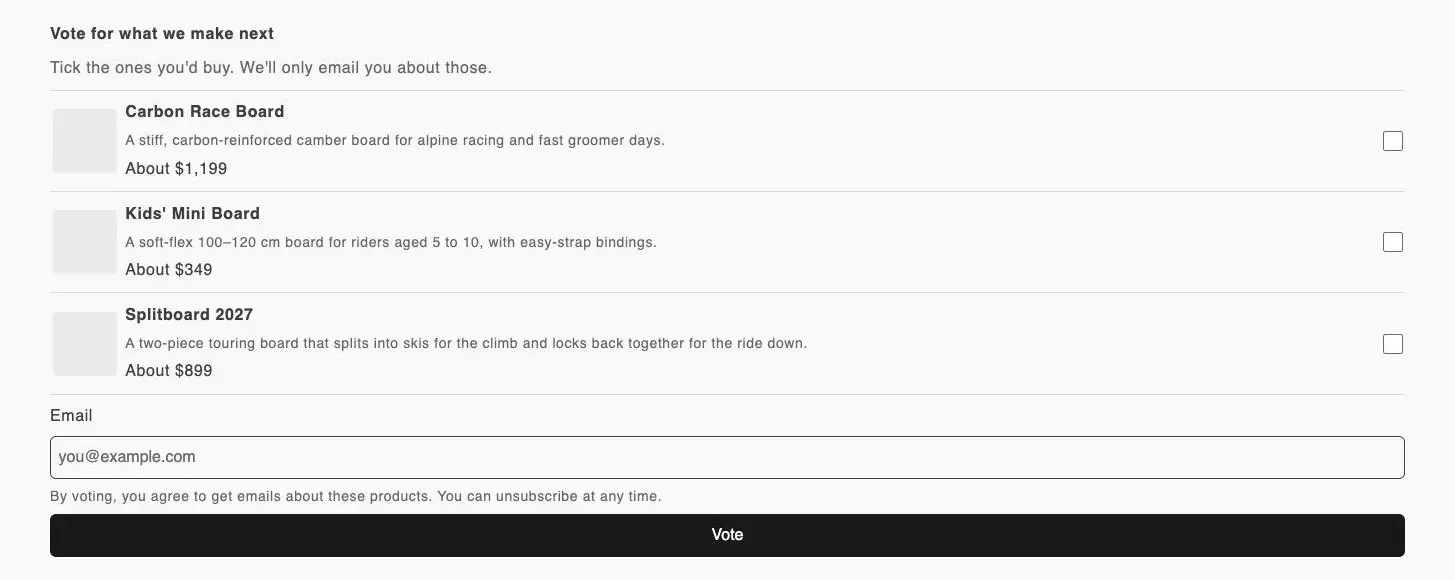
- 1The block’s heading and subheading
- 2A box to tick for each product
- 3Email, the consent line and Vote
- 2
The shopper ticks products and votes
They tick one or more products, type their address in Email and select Vote. The line under the email field says that by voting they agree to get emails about these products and can unsubscribe at any time.
If they haven’t ticked anything, the block asks them to choose at least one product.
Your online store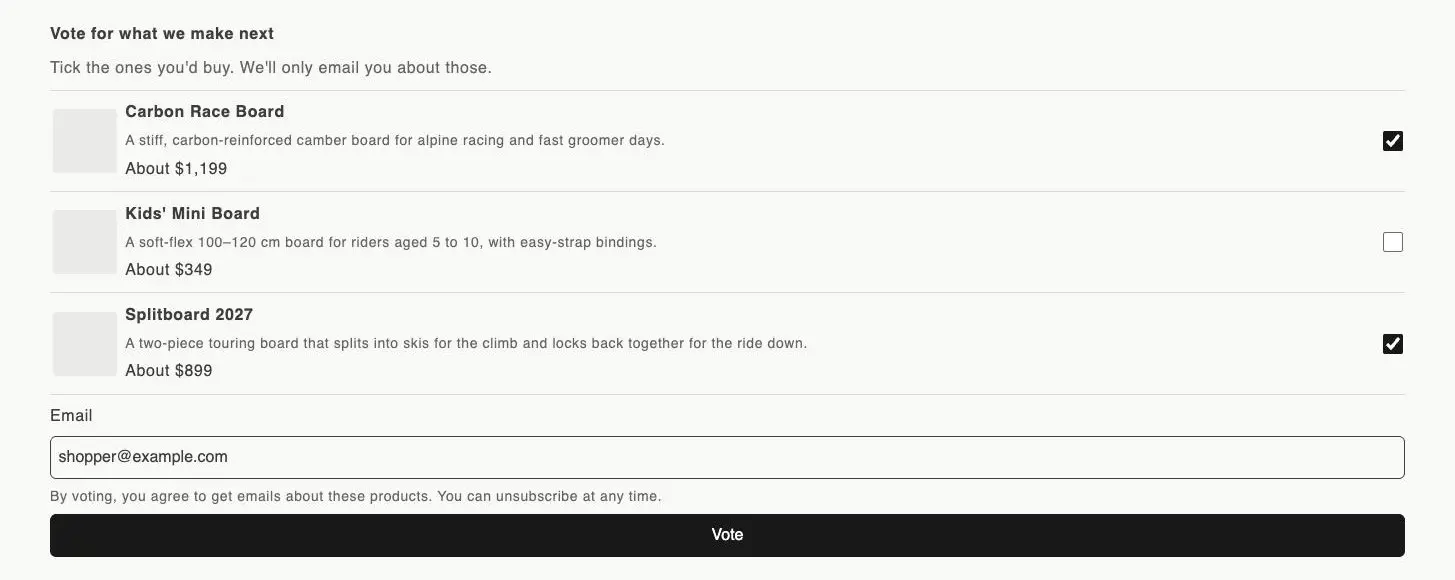
- 1Two products ticked
- 2The shopper’s address in Email
- 3Vote
- 3
The shopper sees their thanks
The block thanks them and lists what they voted for: “If we make one, we will email you when it is available.” Each product they voted for is marked You voted in that browser.
If they vote again for products they already voted for, the block says “You already voted for these.”
Tip: You can change the block’s heading, subheading, button and messages in the theme editor. The consent line is fixed.
- 4
The shopper gets a vote confirmation
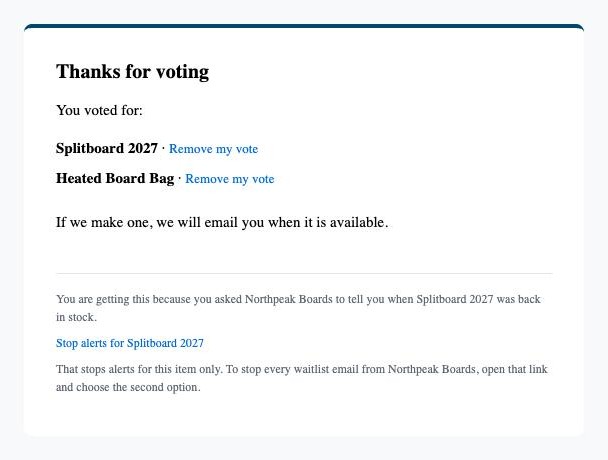
Waitly emails a thank-you with the subject “Thanks for voting at” your shop. It lists each product they voted for, each with a Remove my vote link, and ends with “If we make one, we will email you when it is available.”
Shopper’s inbox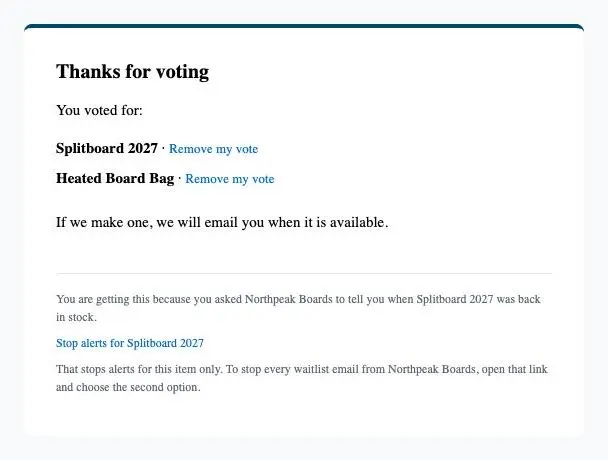
- 1Remove my vote beside each product
- 2They’ll hear when one is made
- 5
The shopper can take a vote back
Remove my vote opens the same Email preferences page shoppers use to stop alerts. They confirm with Stop alerts for this item, and the vote no longer counts.
- 6
When you make it, voters hear first
When you promote a proposal into a real product and it goes on sale, everyone who voted for it gets an alert: “The” product “you voted for is now available”, with a Buy it now button.
Questions
- Can a shopper vote more than once for the same product?
- No. Voting again with the same email doesn’t add a second vote.
Read next
- Add the voting block to your storePut the Product voting block on your home page or a page of its own, and word it your way.
- Let shoppers vote on a product ideaDescribe a product that doesn’t exist yet, open it for votes, and close, reopen or delete it later.
- Turn a winning proposal into a productPromote a proposal to a new Shopify product, or link it to one you already have, so every voter hears when it launches.