How restock alerts are sent
Understand when Waitly sends a restock alert, who gets it, how long an alert holds a shopper, and when an alert is held back.
Before you start
- The Notify me block is on your product page and shoppers are waiting.
- 1
Restock as you normally would
You don’t press anything in Waitly. Shopify tells Waitly whenever an inventory level changes. When a variant shoppers are waiting for goes from sold out to available to sell online, Waitly counts it as a restock and starts sending.
Setting the quantity above 0 is the usual way. Turning Sell when out of stock on also makes a variant available, so it counts as a restock too.
- 2
Know who gets the alert
Everyone waiting for that variant gets the alert, and so does everyone waiting for the whole product. A shopper waiting for a different variant of the same product doesn’t.
Only shoppers who signed up before the restock are included. Shoppers who unsubscribed, can’t be emailed, or are still holding an earlier alert are left out.
If the variant sells out again before the send starts, or the send can’t start within 24 hours of the restock, Waitly doesn’t send it.
Note: Alerts go out in line order. By default everyone is alerted at once. On Pro you can send them in batches or hold a unit for the first shoppers instead, under Settings › Restock release.
- 3
Set how long an alert holds a shopper
Open Settings and find Notifications. Hold a restock alert for sets how long a shopper has to buy after an alert: from 1 to 168 hours, 48 by default.
During that time the shopper shows as Alerted, still deciding and isn’t alerted again. If they haven’t bought when it ends, they go back to Waiting in their original place in line, ready for the next restock.
Shopify admin · Waitly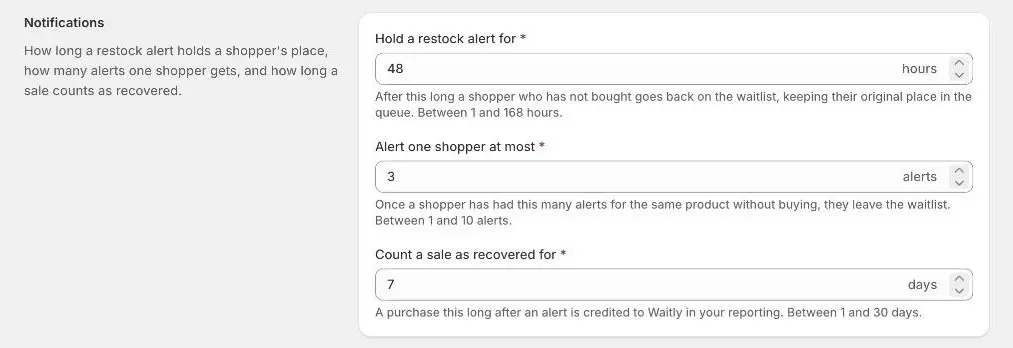
- 1Time to buy after an alert
- 2Most alerts per shopper
Note: An alert doesn’t hold stock. The email tells shoppers it’s first come, first served.
- 4
Limit how many alerts one shopper gets
Alert one shopper at most sets how many alerts a shopper can get for the same item without buying: from 1 to 10, 3 by default.
When the hold on their last alert ends and they still haven’t bought, they leave the waitlist and show as Expired. Select Save after changing either setting.
- 5
Keep an eye on your alert allowance
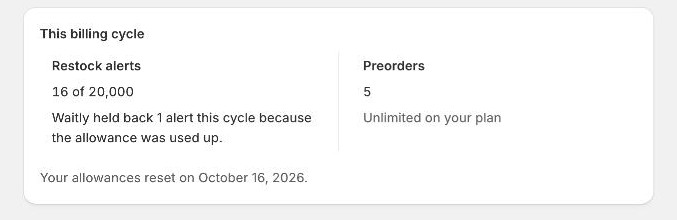
Each restock alert counts toward your plan’s allowance for the billing cycle: 100 on Free, 5,000 on Growth and 20,000 on Pro. Confirmation emails aren’t counted against it.
Billing shows how many you’ve used under This billing cycle, and a banner warns you when they’re nearly used.
Once they’re used up, further alerts are withheld: Waitly doesn’t send them, and doesn’t send them later either. Those shoppers stay Waiting and get the alert at the next restock, once you have allowance again.
Shopify admin · Waitly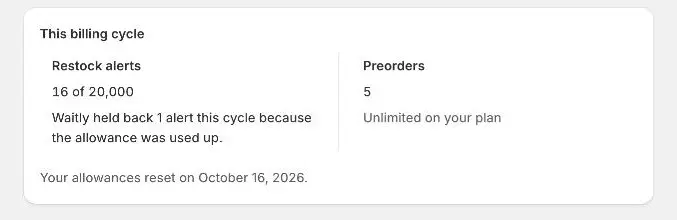
- 1Alerts used this cycle
Careful: Withheld alerts are gone for that restock. If a big restock is coming and you’re close to your allowance, upgrade first.
- 6
Check what was sent
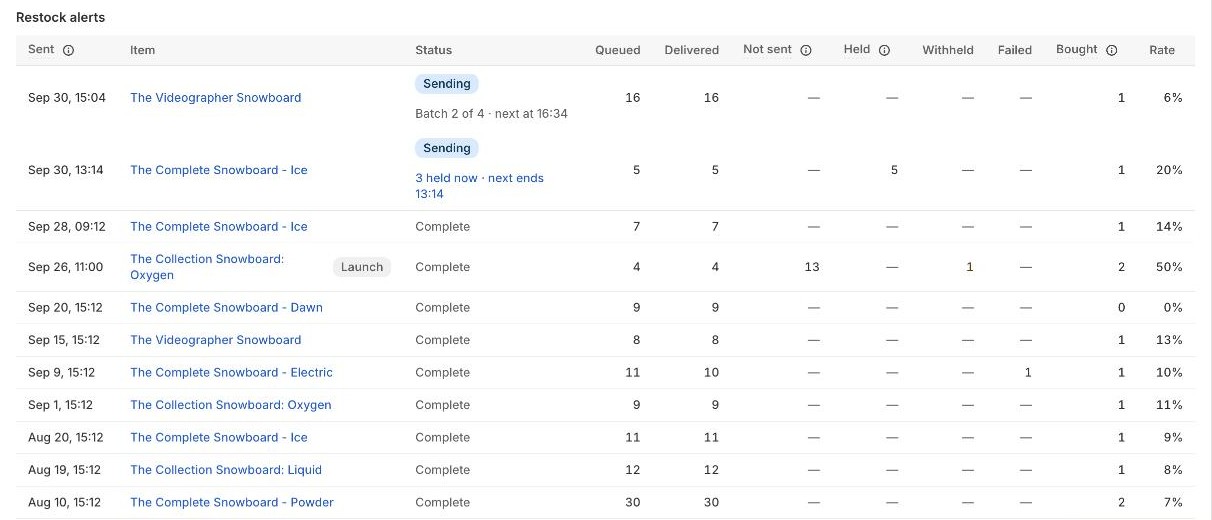
Open Analytics and scroll to Restock alerts. Each row is one restock’s send: the item, its Status (Sending or Complete), and how many alerts were Queued and Delivered.
A Withheld column appears when a send had alerts held back by your allowance, and Failed when an email couldn’t be sent.
Shopify admin · Waitly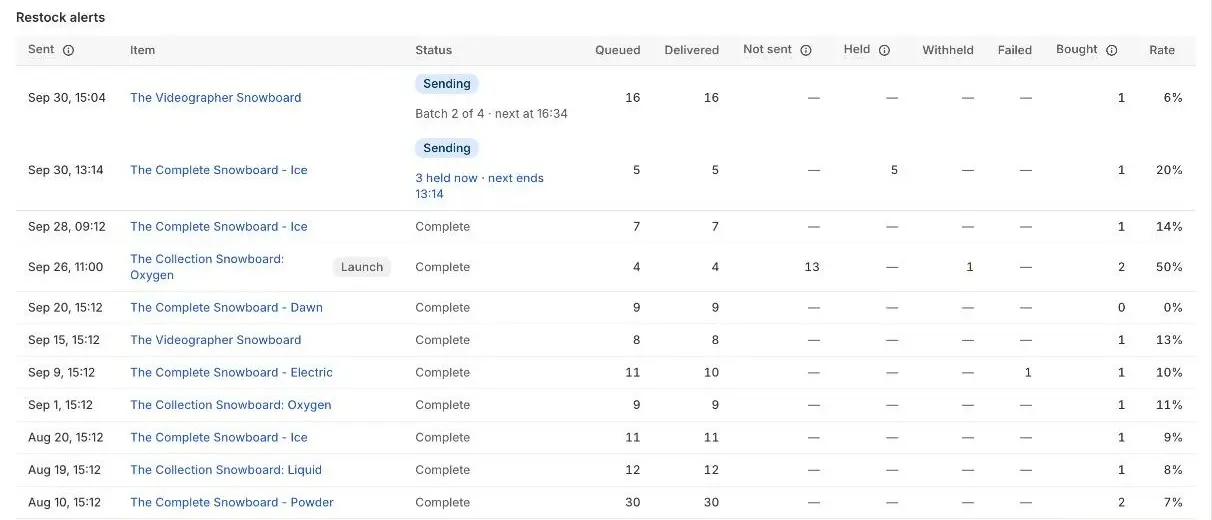
- 1Held back by your allowance
Questions
- Does a shopper who buys without clicking the alert count?
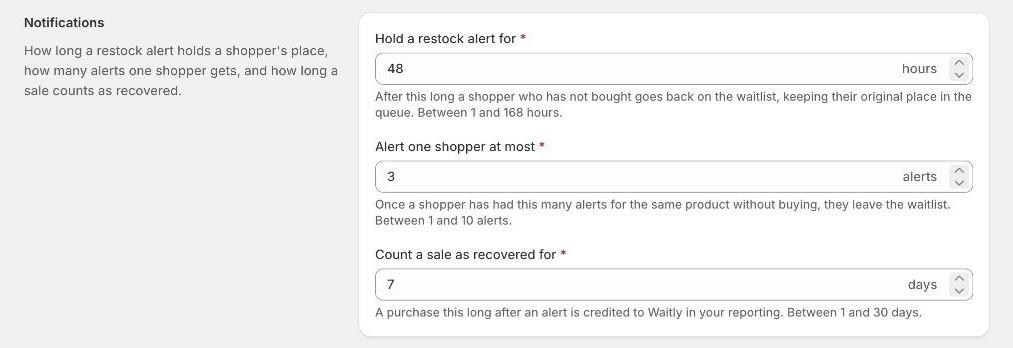
- If they buy within the time set in Count a sale as recovered for (7 days by default), it counts as Bought after alert. A shopper who buys without an alert, or after that time, shows as Bought anyway.
- What happens to the shoppers a send didn’t reach?
- They stay on the waitlist as Waiting, keep their place in line, and are included in the next restock.
Read next
- Set alert and attribution rulesChoose how long an alert holds a shopper’s place, how many alerts one shopper gets, and how long a sale counts as recovered.
- Send restock alerts in batchesAlert a few shoppers at a time, in line order, until the item sells out, and follow each batch in the send log.
- Track your monthly allowancesSee how many restock alerts and preorders you’ve used this billing cycle, and what happens when one runs out.