Set when preorder runs and how many
Run preorder only while a variant is sold out, open and close it on set dates, and cap the units each product can take.
Before you start
- You have a preorder policy. Setting dates needs the Growth plan or higher.
- 1
Find When preorder runs
In Waitly, choose Preorders, select the policy, and scroll to the When preorder runs card. It holds three settings, in the order Waitly checks them: the dates, the sold-out switch, and the unit limit.
Shopify admin · Waitly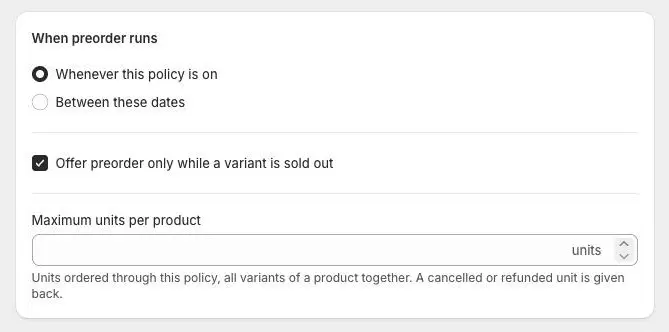
- 1The dates
- 2The sold-out switch
- 3The unit limit
- 2
Choose the dates
Whenever this policy is on runs preorder for as long as the Offer preorder switch is on. Good for products you always sell ahead, like made-to-order pieces.
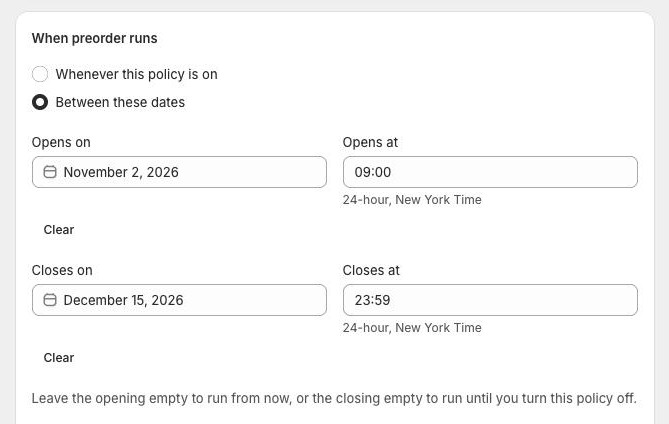
Between these dates opens and closes preorder at a set time. Fill in Opens on and Opens at, and Closes on and Closes at. Times are 24-hour, in your store’s time zone. Leave the opening empty to start now, or the closing empty to run until you turn the policy off. Clear empties one end.
Once saved, the card says how the policy reads, for example “This policy is on, and opens on …”.
Shopify admin · Waitly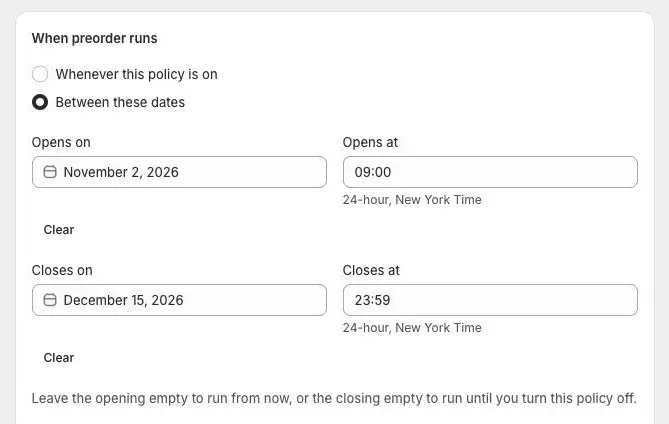
- 1Choose Between these dates
- 2When preorder opens
- 3When it closes
Note: Between these dates is on Growth and Pro. On Free the choice is locked and shows a Growth badge with Upgrade to Growth.
- 3
Offer preorder only while sold out
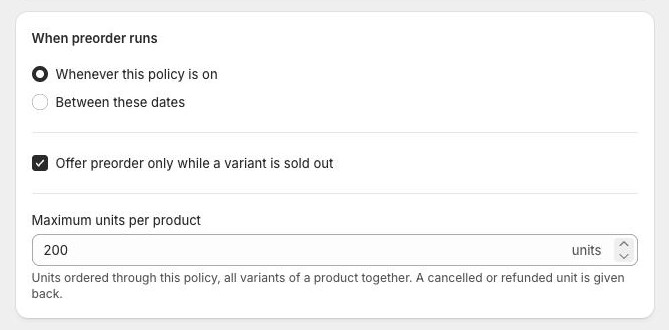
With Offer preorder only while a variant is sold out ticked, a variant takes preorders only once its stock reaches zero, and goes back to normal selling when stock arrives. New policies start with it ticked.
Untick it to let every covered variant keep selling when out of stock for as long as the policy runs.
Note: Sold out means the variant tracks stock in Shopify and has none left to sell online. A variant that doesn’t track stock never counts as sold out.
- 4
Cap the units per product
Type a number in Maximum units per product to stop preorders once a product has taken that many. It counts units ordered through this policy, all variants of a product together. A cancelled or refunded unit is given back.
Leave it empty for no limit. To stop preorder altogether, turn the policy off instead.
When a product reaches the limit, a line under the field names it, for example “Alpine parka reached 200 units, so it no longer offers preorder.”
Shopify admin · Waitly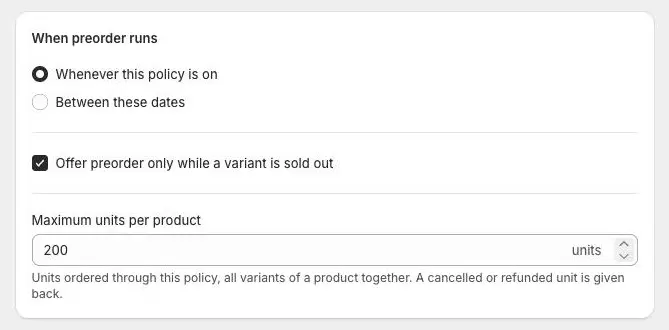
- 1Units each product can take
- 5
Save and check the list
Select Save in the bar at the top.
On the Preorders page, the Status column shows what each policy is doing: On with “Opens …” under it while it waits for its dates, On with “Ended” under it once they’ve passed, and “Limit reached on 2 of 12 products” when some products hit their cap.
Shopify admin · Waitly
- 1What the policy is doing

Questions
- What happens when the closing date passes?
- The policy stays on but stops offering preorder, and the list shows it as Ended. Turn it off, or change the dates to run it again.
- I moved to Free. What happens to my dates?
- They keep working, but you can’t set or move them. You can switch back to Whenever this policy is on to remove them.
Read next
- Create a preorder policyMake a policy, choose the products it covers, and turn it on so Shopify offers them as Pre-order.
- Add a message and ship estimateTell shoppers when their preorder ships, add a short message of your own, and tag preorder orders by policy.
- Turn off or delete a policyStop taking preorders on a policy’s products, either by turning it off to use again later or by deleting it for good.