Remove a shopper from a waitlist
Take one shopper off one waitlist so they don’t get the alert when it’s back in stock.
Before you start
- The shopper is on the waitlist and hasn’t already bought, unsubscribed or expired.
- 1
Find the shopper
Open the waitlist from Waitlists in the Waitly menu and scroll to the Shoppers card.
Type their email address in Search by email and select Search. Or select the Waiting filter to see only shoppers who are still due an alert.
Shopify admin · Waitly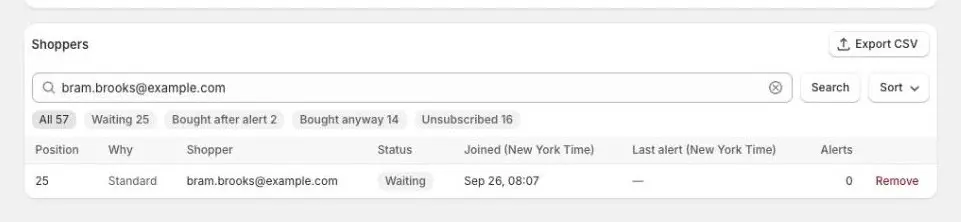
- 1Search by email
- 2Select Remove
- 2
Select Remove
Select Remove at the end of the shopper’s row. Nothing changes yet: Waitly asks you to confirm first.
Only shoppers who are Waiting or Alerted, still deciding have Remove. Rows that have already ended, for example Bought after alert or Unsubscribed, have nothing to remove.
- 3
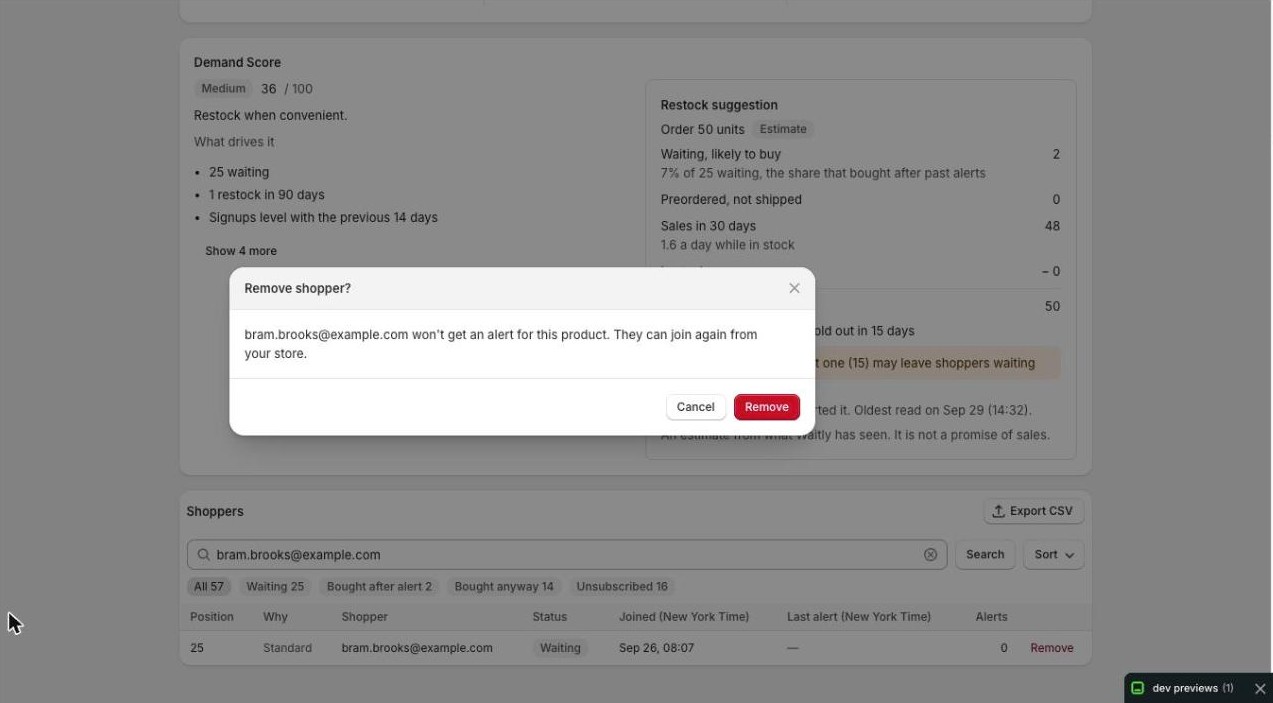
Confirm in the Remove shopper? window
The Remove shopper? window names the shopper and says they won’t get an alert for this product, and that they can join again from your store.
Select Remove to take them off, or Cancel to keep them.
Shopify admin · Waitly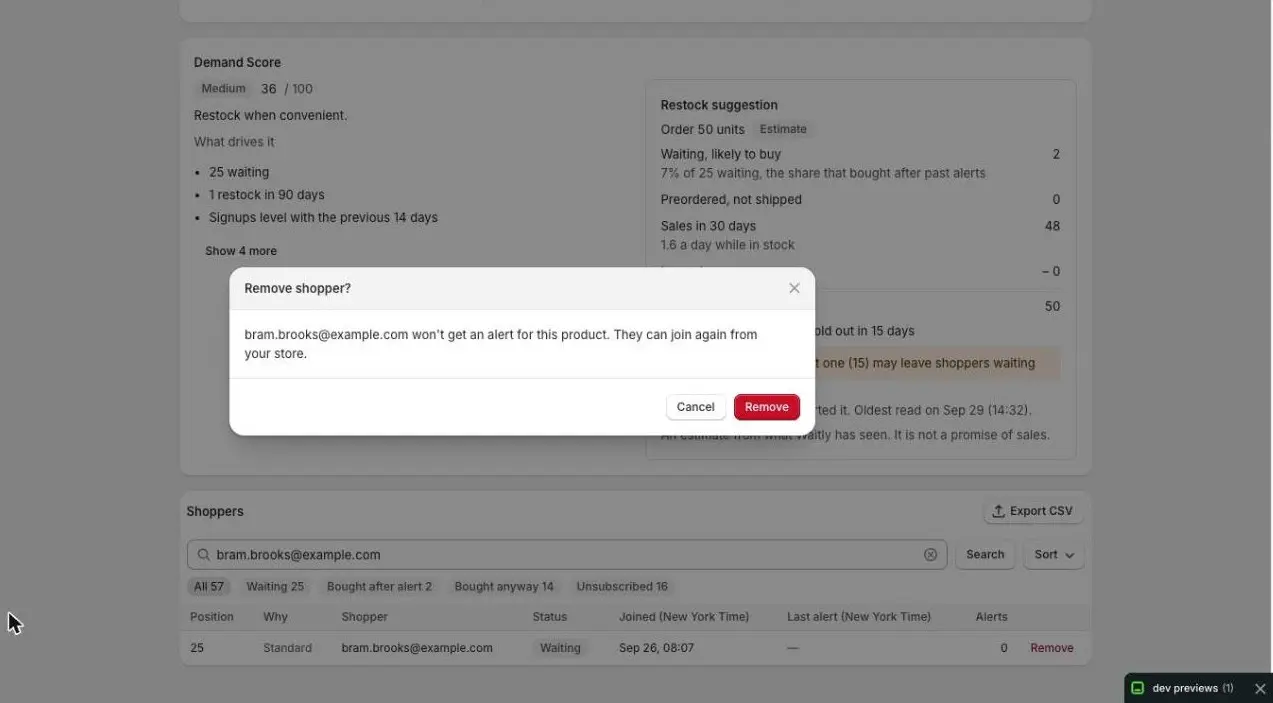
- 1Confirm the removal
- 4
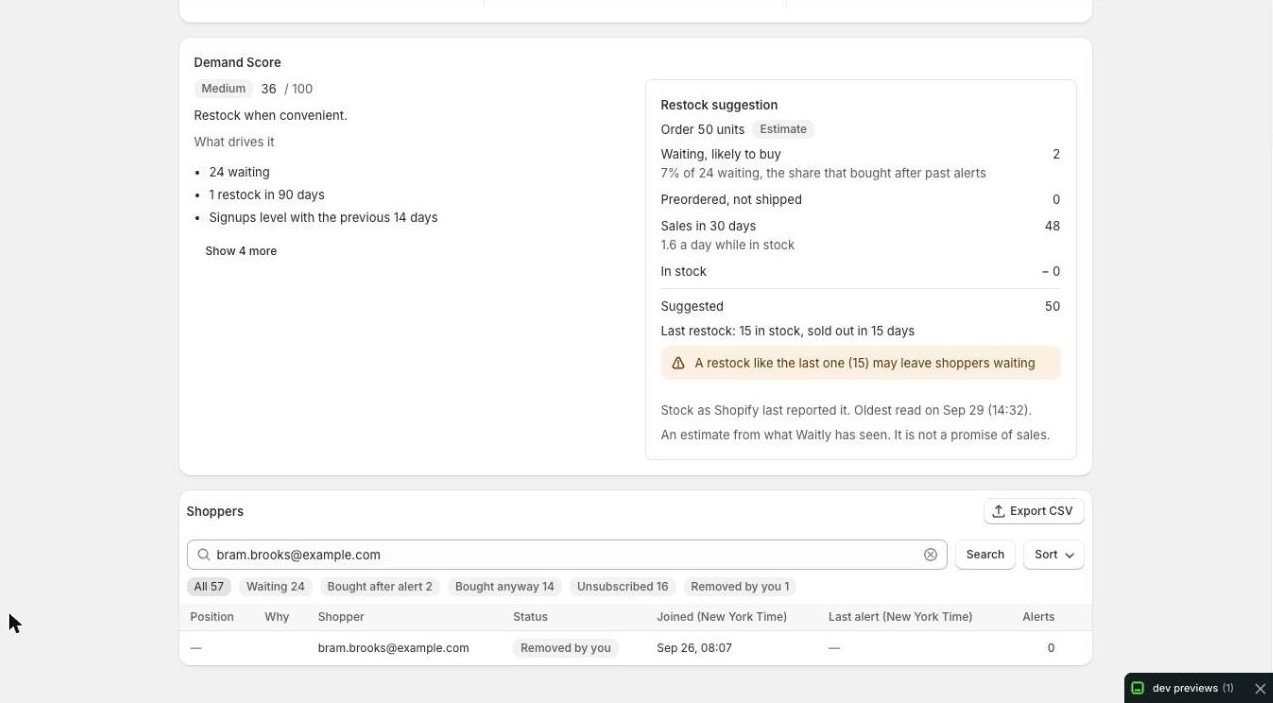
Check the shopper’s new status
A Shopper removed message appears at the bottom of the screen, and the shopper’s status changes to Removed by you. They stay on the list so you can see what happened, but they no longer count as Waiting.
Shopify admin · Waitly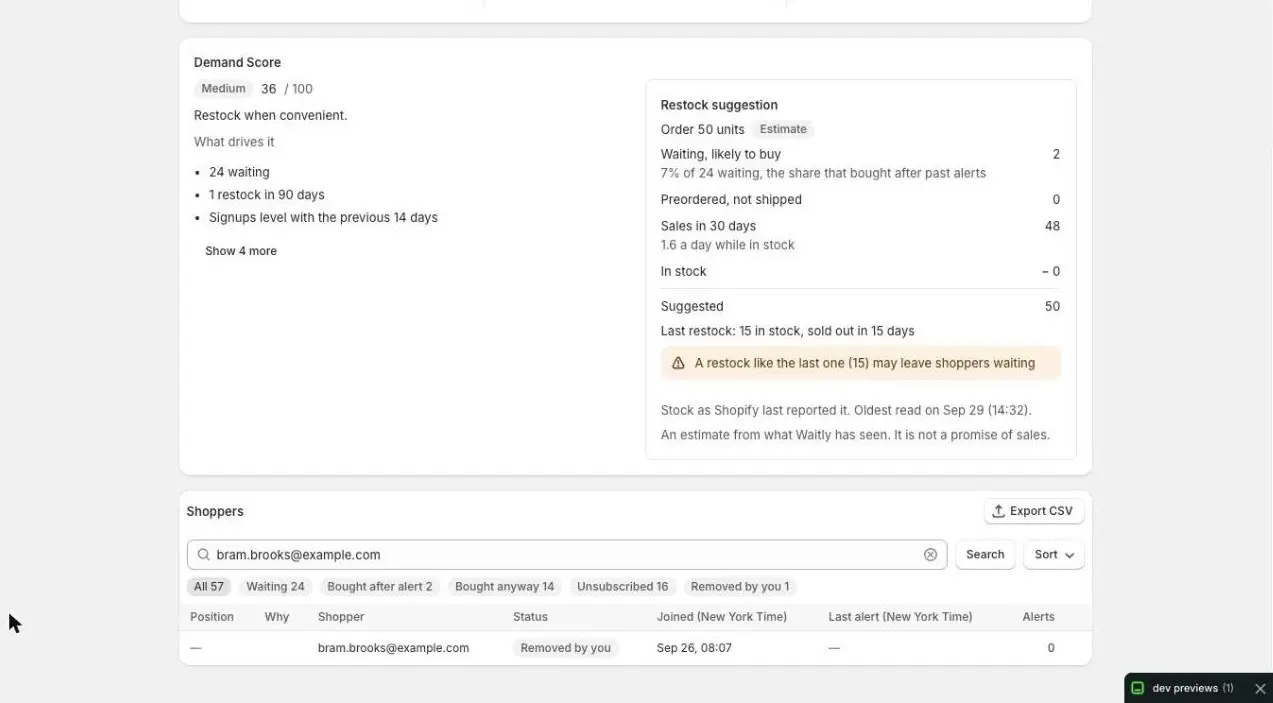
- 1New status
Careful: You can’t undo a removal. The only way back is for the shopper to join the waitlist again from your store.
Questions
- Does removing a shopper stop all their Waitly emails?
- No. It takes them off this one waitlist only. If they’re waiting for other products, they still get those alerts.
- What if the shopper is holding a reserved unit?
- On Pro, when you reserve units for the first shoppers, the Remove shopper? window also says the held unit goes to the next shopper in line. Removing them ends the hold straight away. You can also do this from the Held now card.
- Is removing the same as the shopper unsubscribing?
- No. Unsubscribed means the shopper stopped the alerts themselves. Removed by you means you took them off.
Read next
- See who’s waiting for a productOpen one product’s waitlist, read its totals and cards, and see every shopper on it and what happened to them.
- Hold a unit for the first shoppersHold one restocked unit for each of the first shoppers in line, send them a link only they can use, and see who holds a unit right now.
- Stopping alertsHow your shoppers leave one waitlist or stop every waitlist email from your store.