Let shoppers vote on a product idea
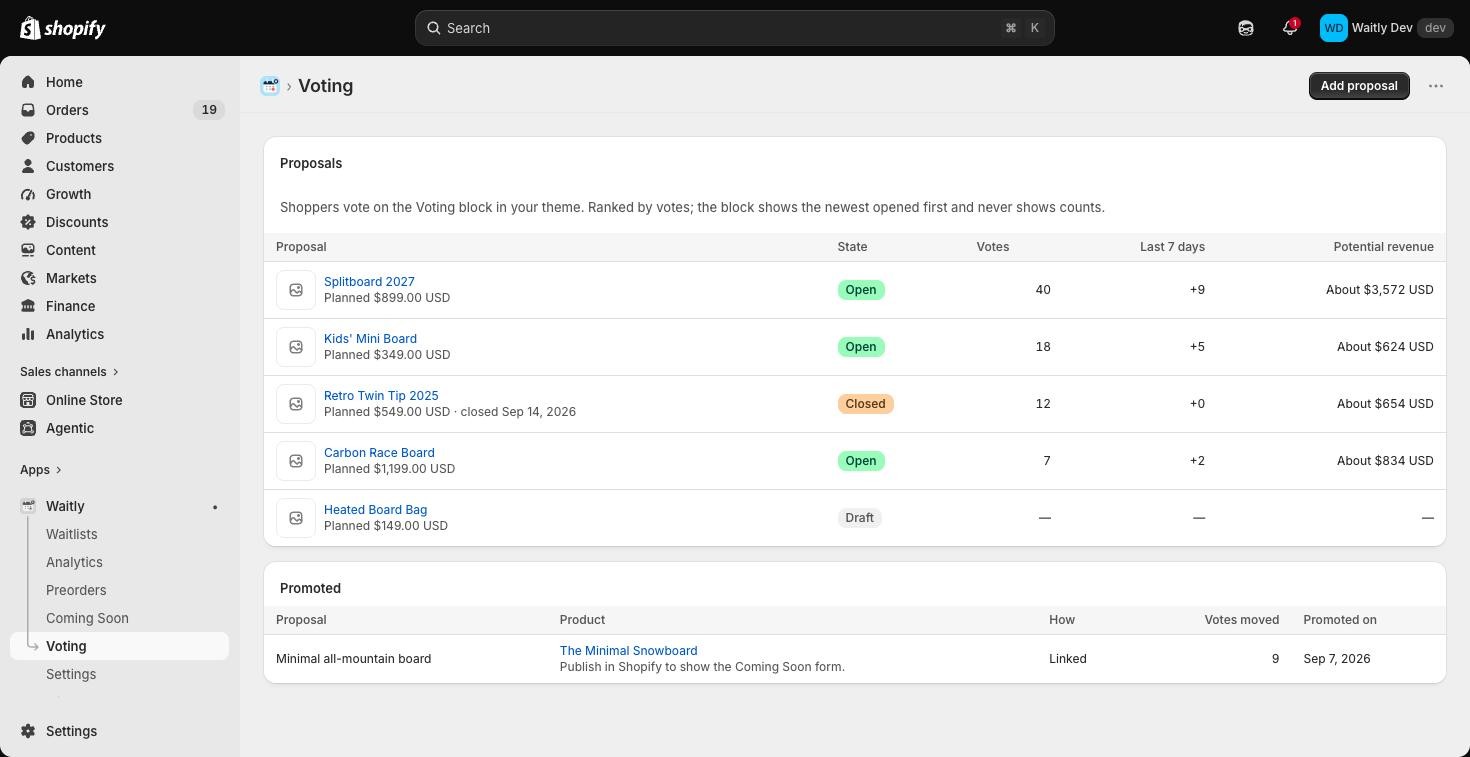
Describe a product that doesn’t exist yet, open it for votes, and close, reopen or delete it later.
ProNeeds the Pro plan.
Before you start
- Your store is on the Pro plan.
- To take votes, the Product voting block is on your store. See “Add the voting block to your store”.
- 1
Open Voting and add a proposal
In Waitly, choose Voting in the menu, then select Add proposal.
A proposal is a product you might make: a title, a short description, one image and, if you like, a planned price.
Shopify admin · Waitly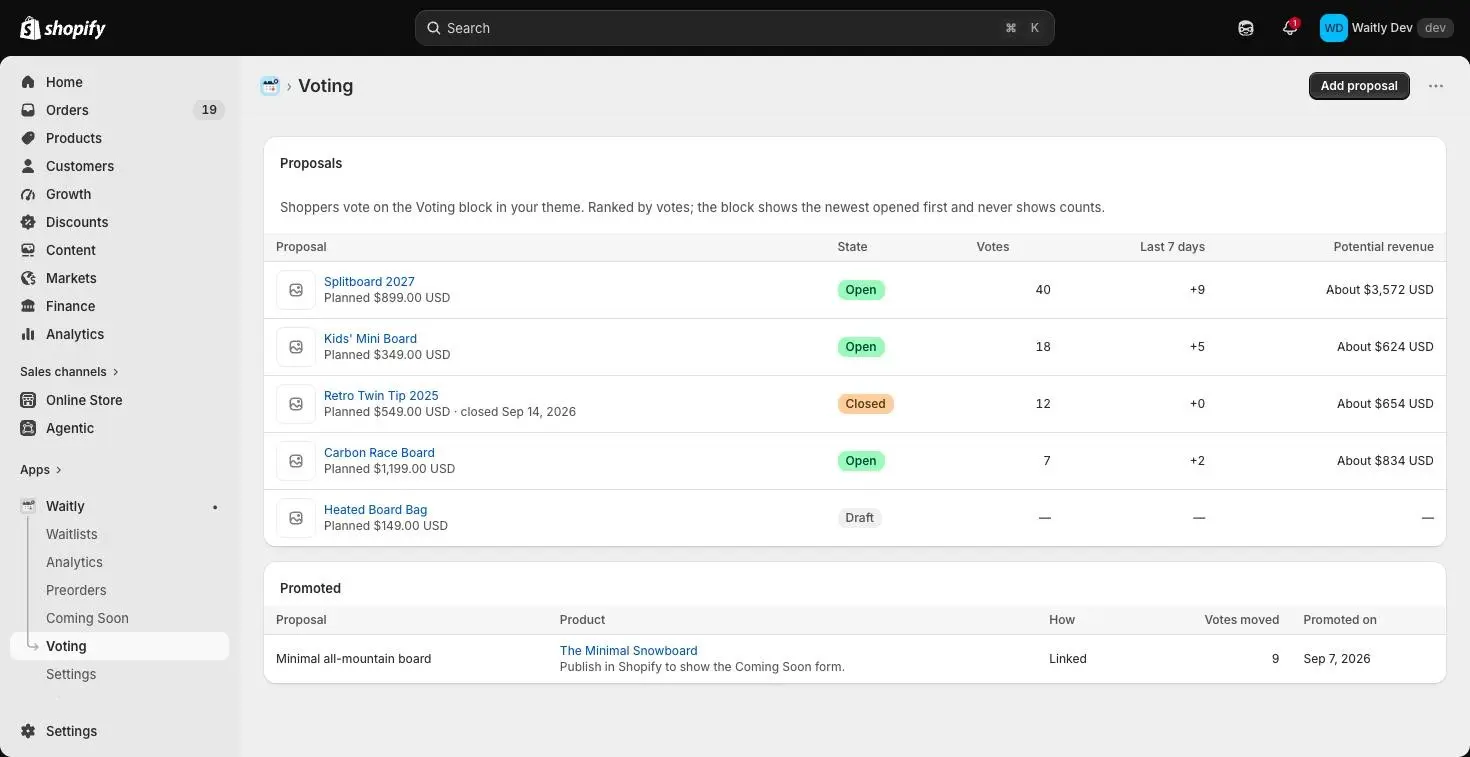
- 1Open Voting
- 2Add a proposal
- 2
Write the title and description
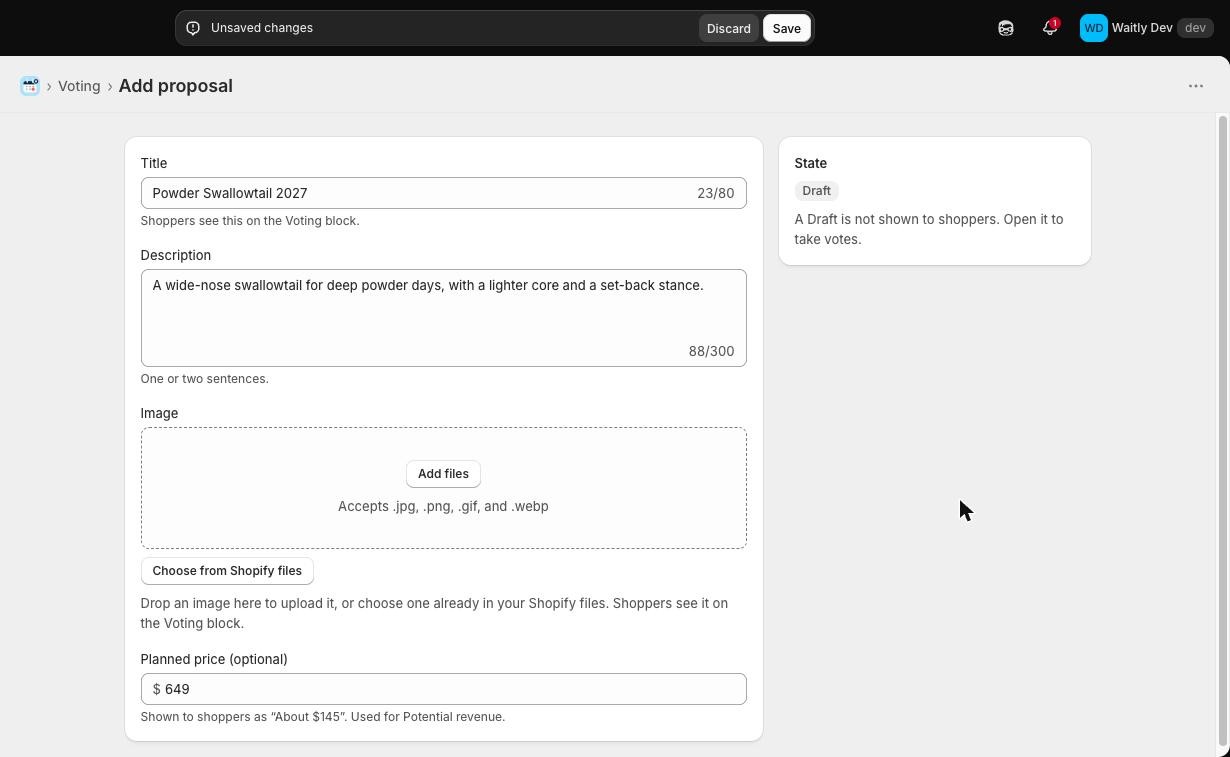
Enter a Title, up to 80 characters. Shoppers see it on the Voting block.
Add a Description of one or two sentences, up to 300 characters.
Shopify admin · Waitly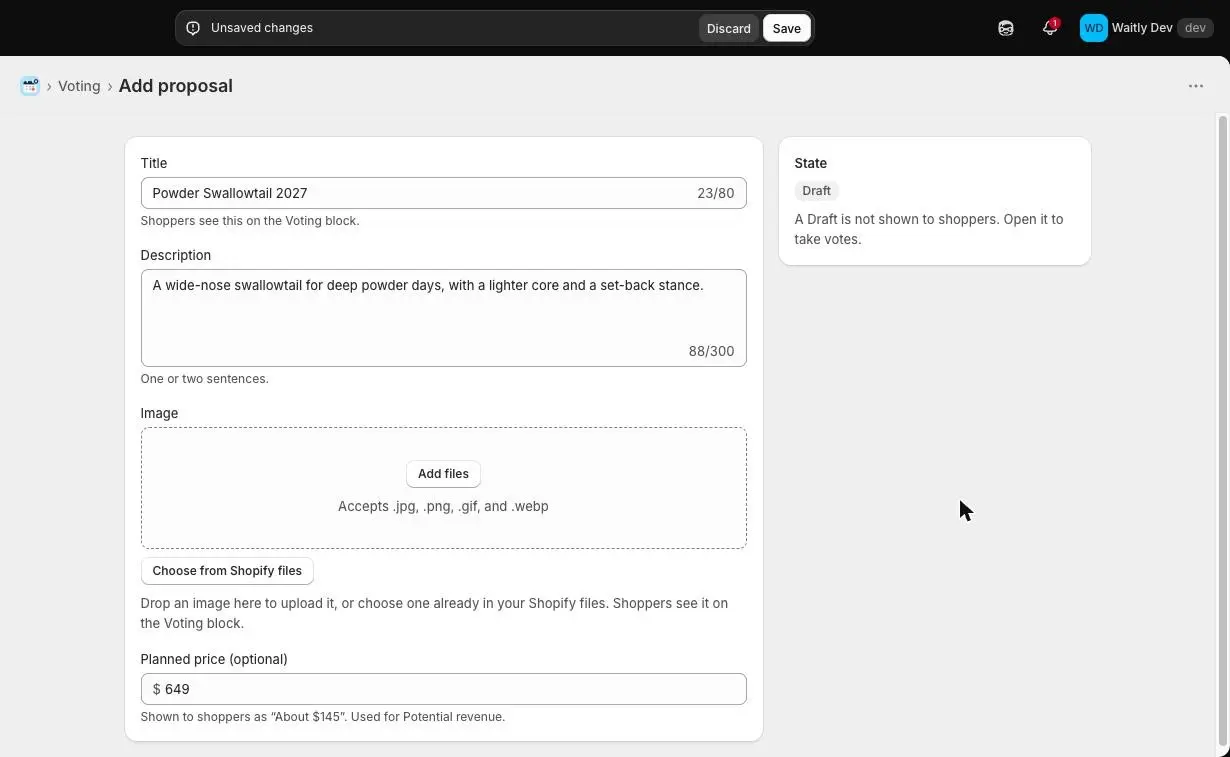
- 1Title, up to 80 characters
- 2One or two sentences
- 3New proposals start as a Draft
- 3
Add an image
Drop a JPG, PNG, GIF or WebP file on Image to upload it to your Shopify files. The first time, Shopify asks you to let Waitly upload files.
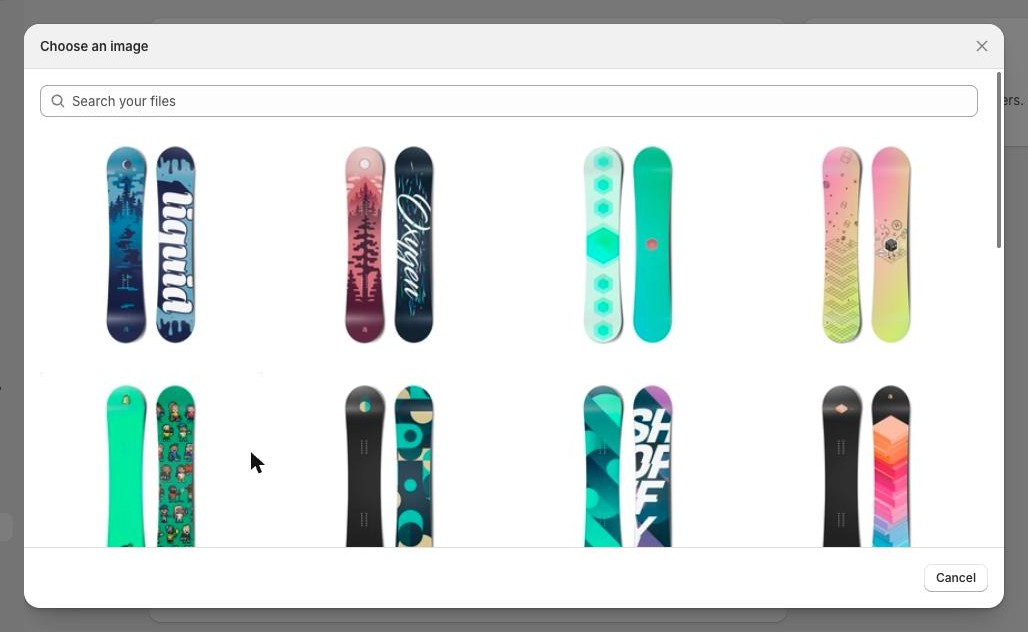
Or select Choose from Shopify files to pick an image you’ve already uploaded. Search your files, then select an image. Change image and Remove let you swap it later.
Shopify admin · Waitly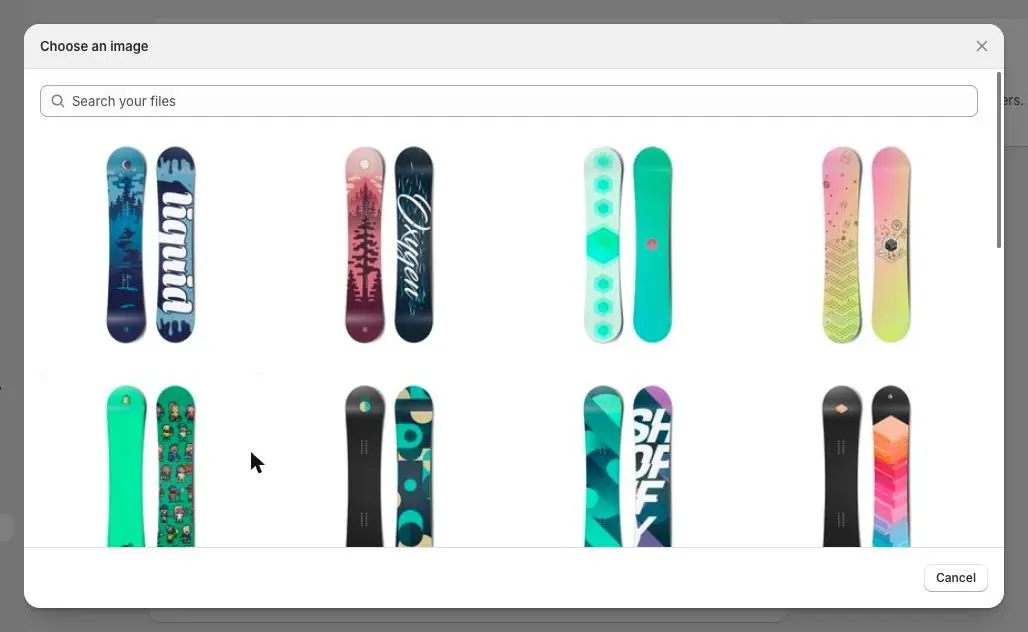
- 1Search your files
- 2Select an image
- 4
Set a planned price and save
Planned price (optional) is shown to shoppers as a rough figure, like “About $150”. Waitly also uses it to work out Potential revenue.
Select Save in the bar at the top. The proposal is saved as a Draft, which shoppers can’t see yet.
- 5
Open it for votes
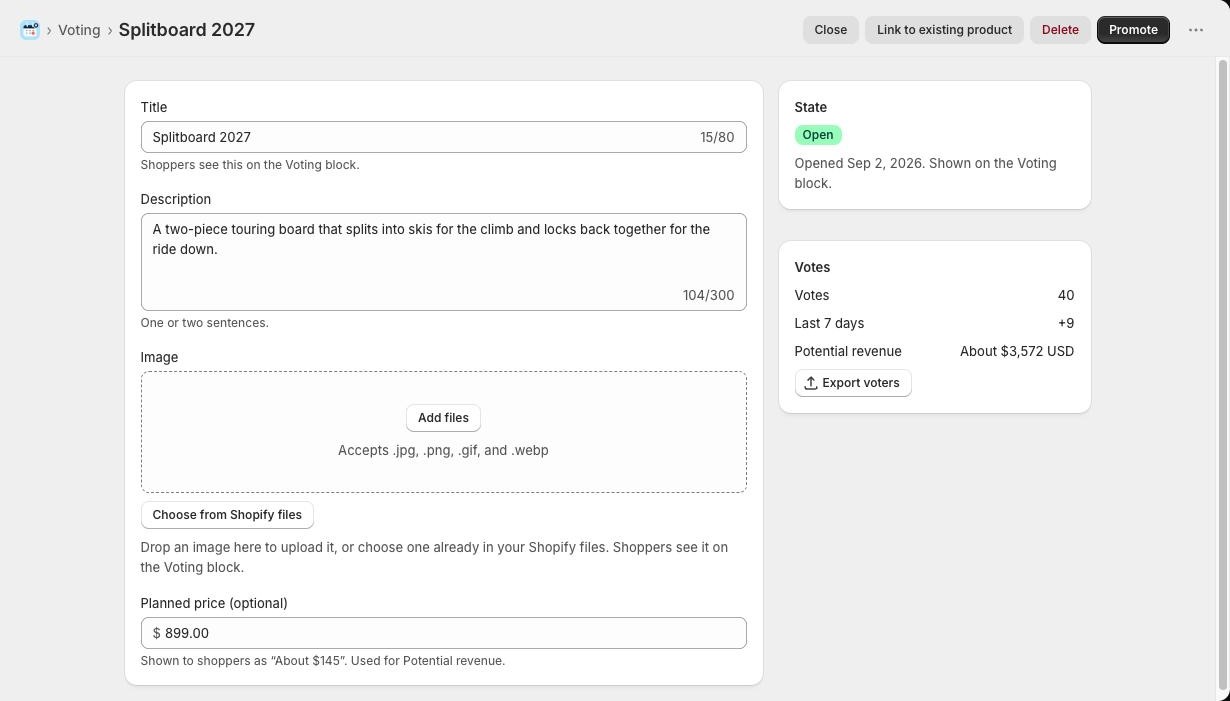
Select Open at the top of the proposal. You’ll see Proposal opened, and the State card reads Open: it’s now shown on the Voting block.
The Votes card shows Votes, votes in the Last 7 days and Potential revenue. Export voters downloads the voters as a CSV file.
Shopify admin · Waitly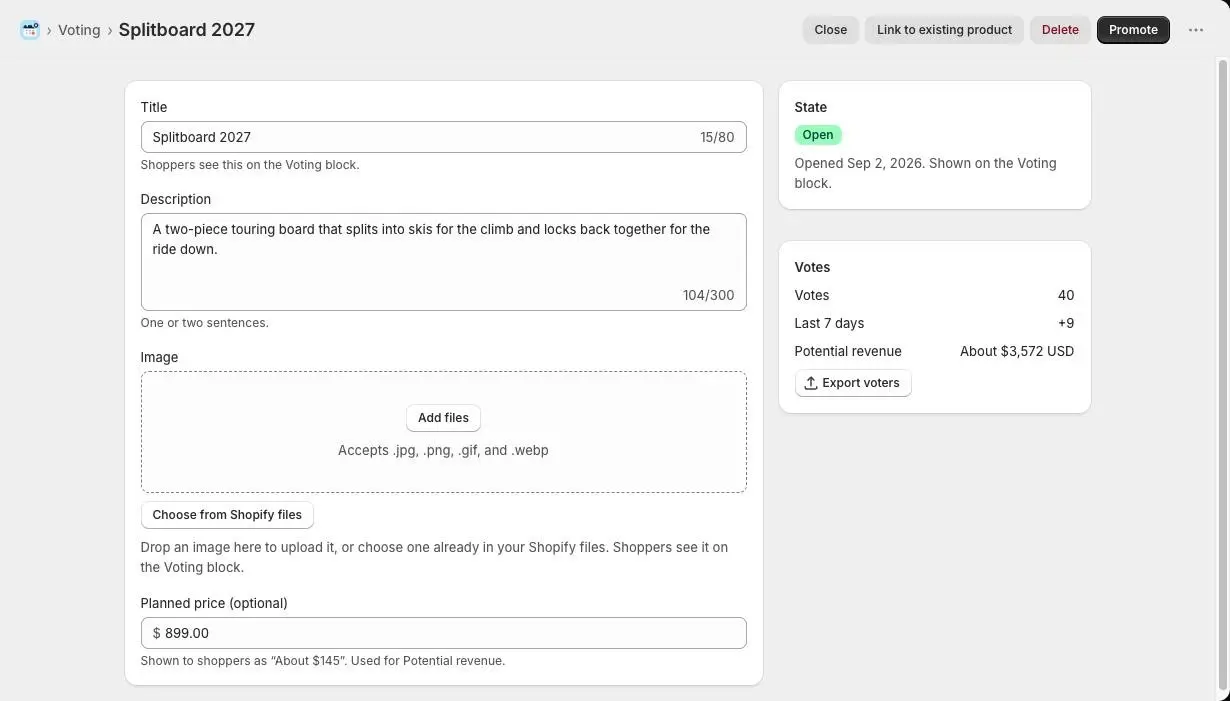
- 1Close, link, delete or promote
- 2The proposal is Open
- 3Votes so far
Note: Up to 50 proposals can be open at once. Close one before you open another.
- 6
Close or reopen voting
Select Close to take the proposal off the Voting block. Its votes are kept, and shoppers can’t vote until you select Reopen.
You can edit the title, description, image and planned price at any time. If shoppers have voted already, a banner reminds you that they aren’t told about a new name.
- 7
Delete a proposal you won’t make
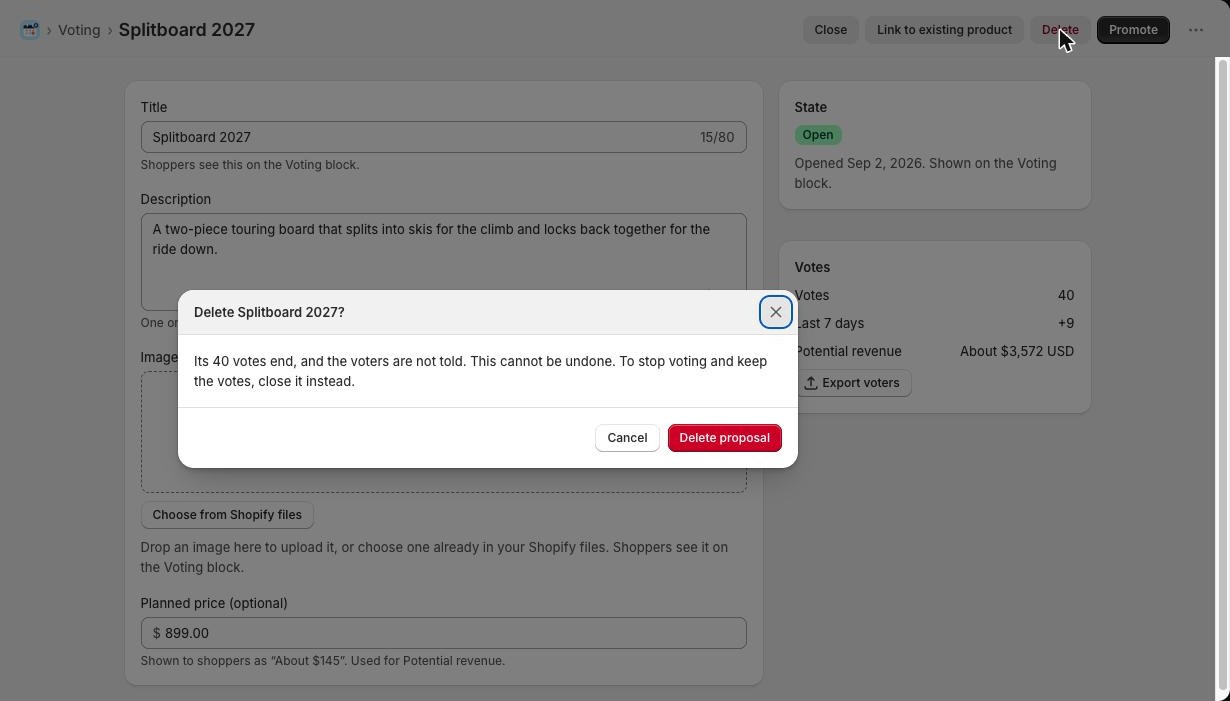
Select Delete, then Delete proposal in the window that opens. Every vote on it ends, and voters aren’t told.
Shopify admin · Waitly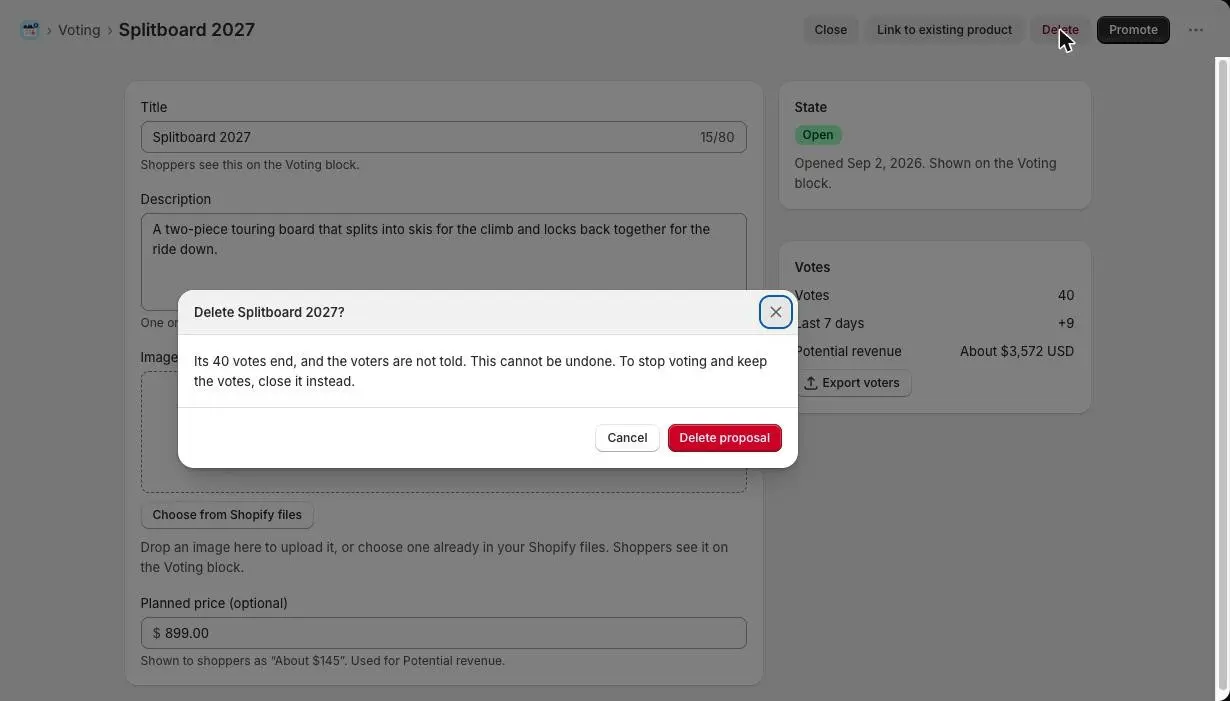
- 1What deleting does
- 2Confirm with Delete proposal
Careful: Deleting can’t be undone. To stop voting and keep the votes, close the proposal instead.
Questions
- Can shoppers see how many votes a proposal has?
- No. The Voting block never shows counts, so early leaders don’t sway the result. It lists open proposals with the most recently opened first. You see the ranking by votes in Waitly.
- Can I move a proposal back to Draft?
- No. Once a proposal is open, you can close and reopen it, but it never goes back to Draft.
Read next
- Add the voting block to your storePut the Product voting block on your home page or a page of its own, and word it your way.
- Turn a winning proposal into a productPromote a proposal to a new Shopify product, or link it to one you already have, so every voter hears when it launches.
- Voting for a productWhat your shoppers see when they vote on your next products, and the thank-you email they get.