Joining a waitlist
What your shoppers see when they sign up with Notify me, and the confirmation email they get.
Before you start
- The Notify me block is on your product page.
- The product has a sold-out variant that tracks inventory.
- 1
The shopper picks a sold-out variant
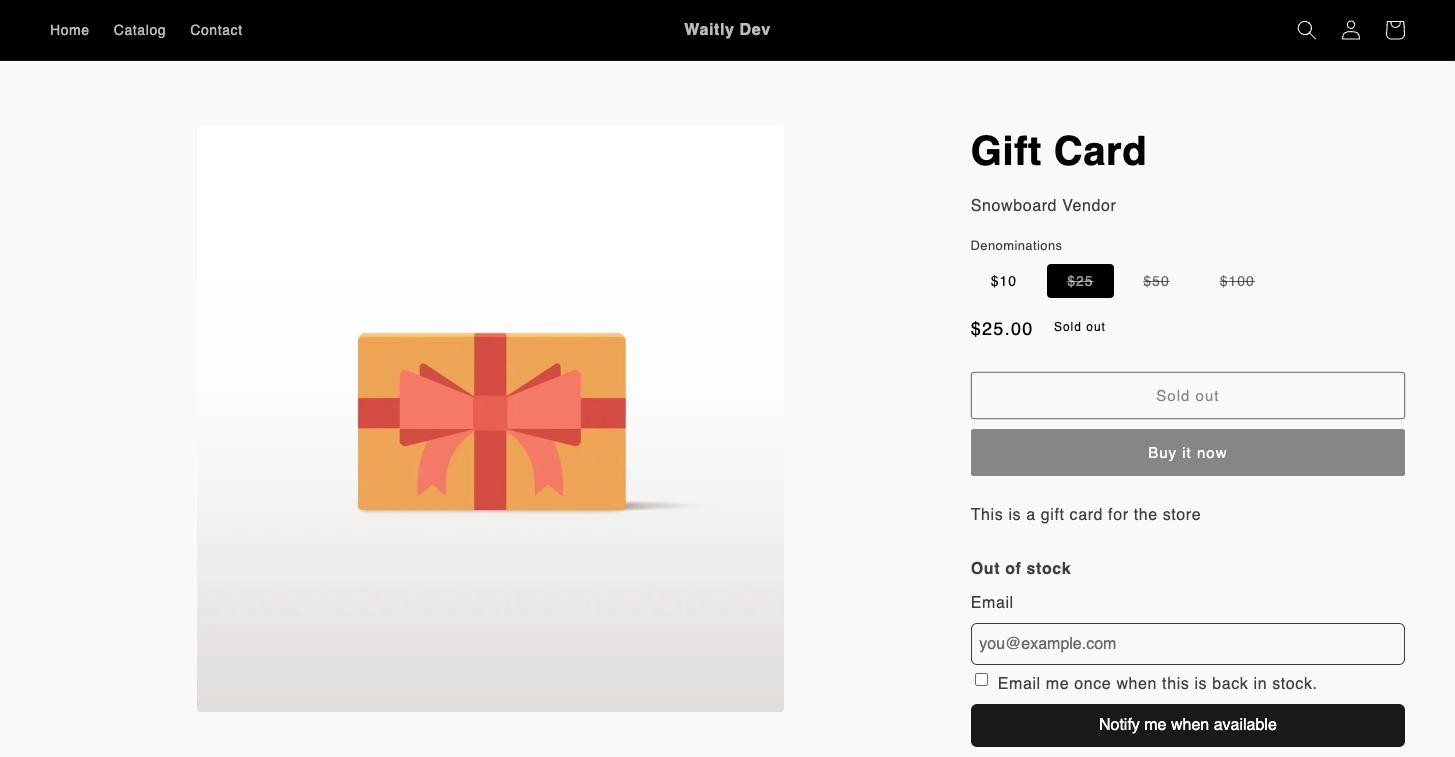
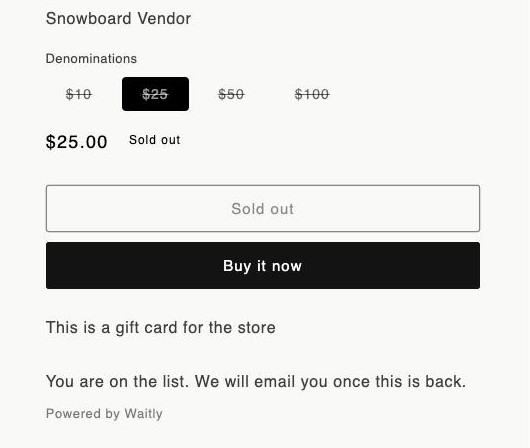
The Notify me form appears on the product page only while the chosen variant is sold out: it tracks inventory, has none left, and isn’t set to keep selling when out of stock. By default it’s headed Out of stock.
If the shopper switches to a variant that’s in stock, the form hides again. If their choice of options matches no variant, they see “Choose your options to see availability.”
Your online store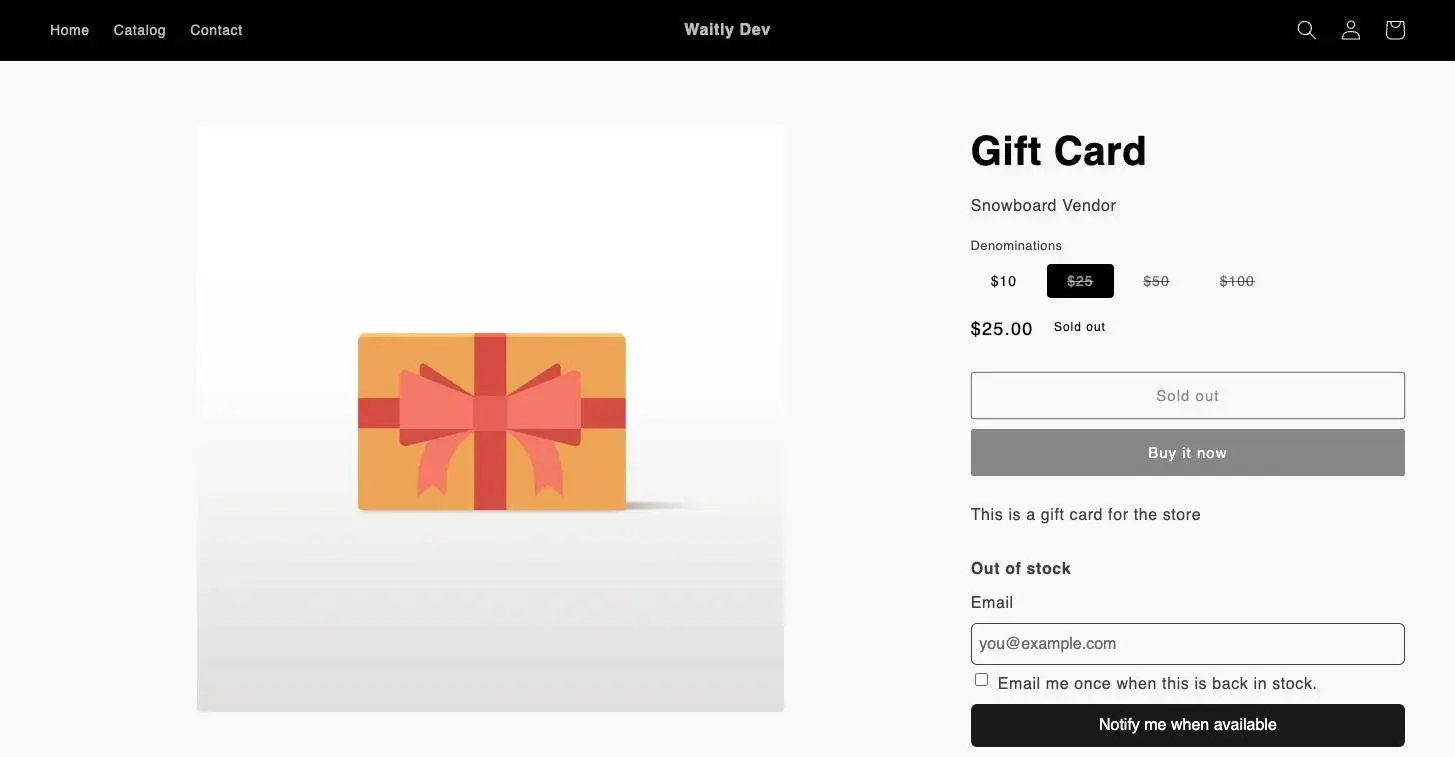
- 1A sold-out variant is chosen
- 2The theme’s button reads Sold out
- 3The Notify me form
- 2
The shopper enters their email and agrees
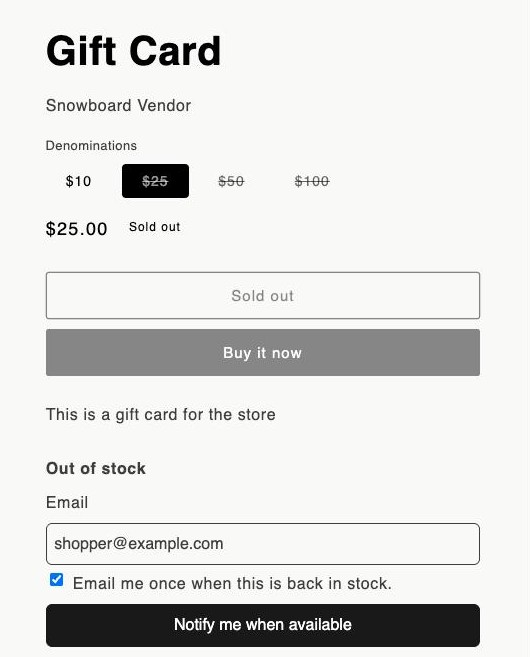
They type their address in Email and tick Email me once when this is back in stock. The form won’t send without the tick, because it’s the shopper’s consent to be emailed.
Then they select Notify me when available.
Your online store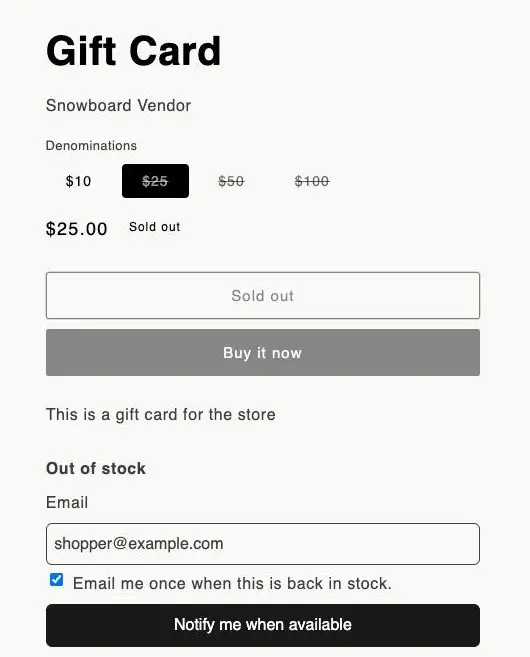
- 1The shopper’s address in Email
- 2The consent tick
- 3Notify me when available
- 3
The shopper sees they’re on the list
The form is replaced by “You are on the list. We will email you once this is back.”
If the address doesn’t look right, the form asks them to check it. If your store takes an unusual number of signups in an hour, or the same address signs up many times, it asks them to try again shortly.
Your online store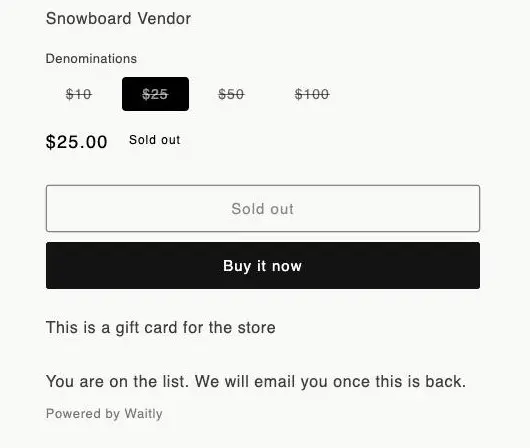
- 1The message that replaces the form
Tip: You can change every word on the form, including the success message, in the block’s settings in the theme editor.
- 4
The shopper gets a confirmation email
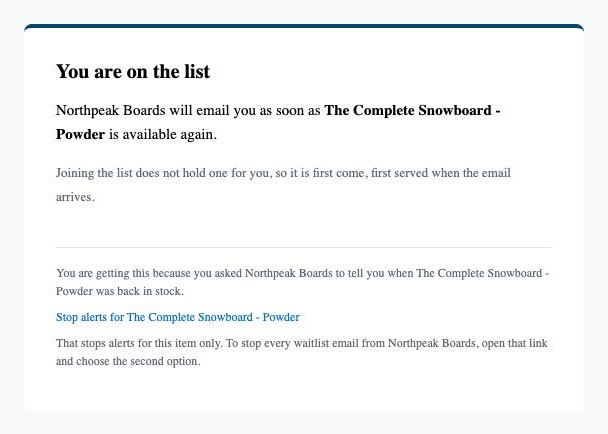
Waitly emails the shopper straight away. The subject is “You are on the list for” and the item, and the email says your shop will email them as soon as it’s available again.
It ends with “Joining the list does not hold one for you, so it is first come, first served when the email arrives.” There’s no Buy button, because the item is still sold out.
Shopper’s inbox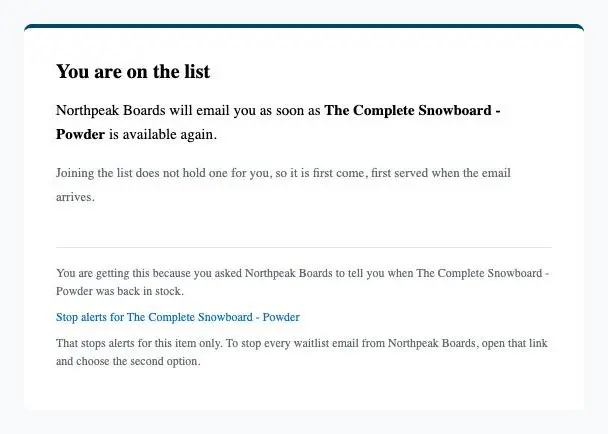
- 1The heading, You are on the list
- 2First come, first served
- 3The link to stop alerts
Note: On Growth and Pro you can write your own subject, heading and message for this email.
- 5
On Pro, the shopper learns their place in line
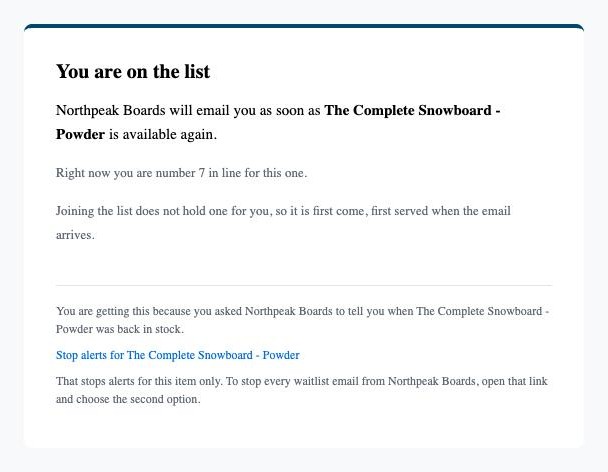
If your store is on Pro and you’ve ticked And tell each shopper their place in the line, in the email confirming they joined. under Waitlist priority in Settings, the confirmation adds a line such as “Right now you are number 7 in line for this one.”
Shopper’s inbox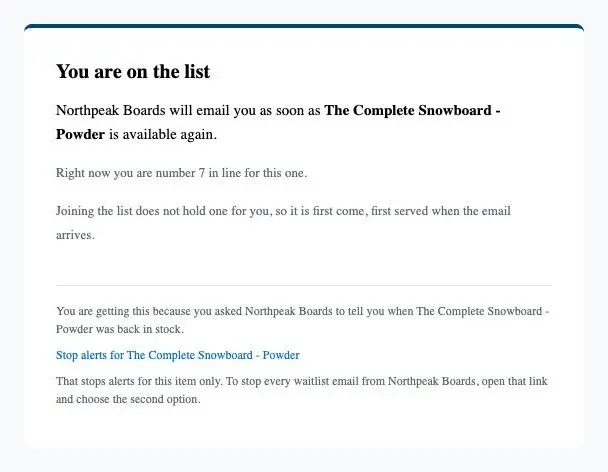
- 1The shopper’s place in line
- 6
The shopper appears on your waitlist
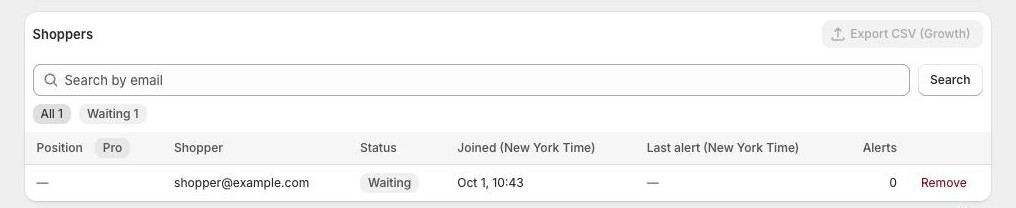
In Waitly, the shopper now shows on the product’s waitlist as Waiting. They’ll get a restock alert when the variant comes back.
Shopify admin · Waitly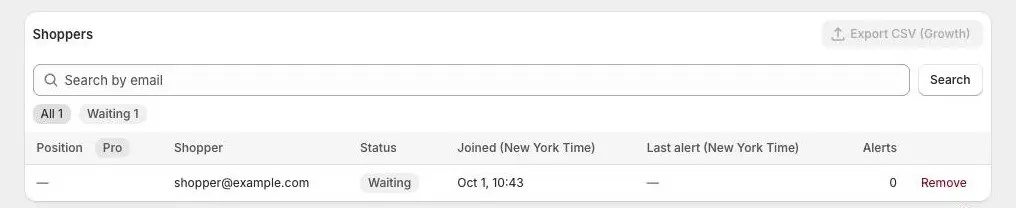
- 1The new signup, Waiting
Questions
- What if a shopper signs up twice for the same item?
- They stay on the waitlist once, with their first place in line. The form still tells them they’re on the list.
- Do confirmation emails use up my restock alerts?
- No. Confirmations have their own, much larger safety cap and never touch your restock alerts.
Read next
- Add the Notify me blockPut the Notify me button on your product page from the setup guide, or add it yourself in the theme editor.
- Change the Notify me block’s words and styleEdit the Notify me block’s text, button colors and corners in the theme editor, and on Growth its background, border and button style.
- The back-in-stock emailWhat your shoppers get when an item they’re waiting for comes back, and what happens after they read it.